
Turn Your Home Into a Responsive Partner
Today we explore smart home workflows you can build with no-code apps, showing how simple visual builders and ready integrations can connect lights, climate, security, and media without scripts. Expect practical recipes, privacy-minded tips, and friendly guidance you can apply tonight. Share your own automations in the comments, ask questions, and subscribe for fresh playbooks, reader spotlights, and updates on emerging standards like Matter and Thread.
Getting Started Without Writing a Line of Code
No-code platforms like IFTTT, Zapier, Apple Shortcuts, Google Home, Alexa Routines, SmartThings, and Home Assistant blueprints remove the barrier of syntax, letting you click together triggers, conditions, and actions. Start small with a single lamp or plug, then expand confidently. We will emphasize local processing where possible, sensible naming, and test-driven iteration so your first workflow works reliably every time.
Wake-Up Routines That Actually Help
Gentle mornings beat blaring alarms. Use no-code builders to gradually brighten warm lights, open blinds slightly, and bring the thermostat to a comfortable setpoint ten minutes before you rise. Trigger a short news briefing or a custom playlist. Sync schedules to skip routines on holidays or late nights. Keep it considerate with presence checks, so roommates or partners are not disturbed.
Light That Rises With You
Build a sunrise effect using color-temperature bulbs that begin dim and amber, then slowly reach daylight tones. Add a condition that prevents activation before your earliest alarm, and suppress on weekends. If you share a room, tie brightness to your side-lamp only. A quiet notification can confirm completion, while a long-press on a bedside button pauses or stops the sequence.
Coffee, Climate, and Calendar Sync
Link a smart plug to your coffee maker, preheating only after your phone leaves Do Not Disturb. Nudge the thermostat a few degrees for comfort, and announce the day’s first appointment through a speaker at low volume. If your commute is delayed by traffic, postpone actions automatically. A quick message can remind you about medication or gym clothes without sounding bossy.
Failsafes and Manual Overrides
Even polished routines misfire. Add a physical scene button to cancel the morning sequence in one press. Create a voice phrase like “hold morning” that sets a sleep mode for the rest of the house. Include a time-based cutoff so nothing runs after noon. Log cancellations to learn patterns, and simplify anything that people frequently stop, since friction is feedback.

Adaptive Climate Control
Combine occupancy, weather forecasts, and open-window sensors to fine-tune temperature. A simple flow can pause heating when a window is detected, then resume after it closes for five minutes. Use seasonal schedules and geofencing to precondition before arrival. Add a monthly summary message showing runtime trends, and invite household members to vote with reactions on whether comfort targets feel right.

Hunt Down Vampire Loads
Attach entertainment gear and office chargers to smart plugs with energy monitoring, then build a bedtime routine that powers them down unless a media device is still playing. Generate a weekly digest ranking top idle consumers. Encourage participation by celebrating reductions, not shaming usage. Provide a manual “temporary on” scene for guests or late work, automatically expiring after a chosen window.
Lean Into Tariff Windows and Solar
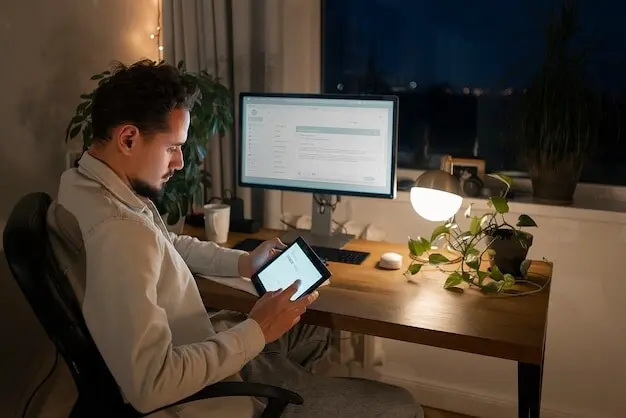
If you have time-of-use rates or rooftop solar, a no-code rule can stage dishwashers and laundry when energy is cheapest or most abundant. Fetch utility price signals or read inverter output, then queue appliances accordingly. Add safety conditions for noise curfews. Summarize savings each month in plain language, and ask readers to share their most effective schedules so others can copy.


Safety and Peace of Mind
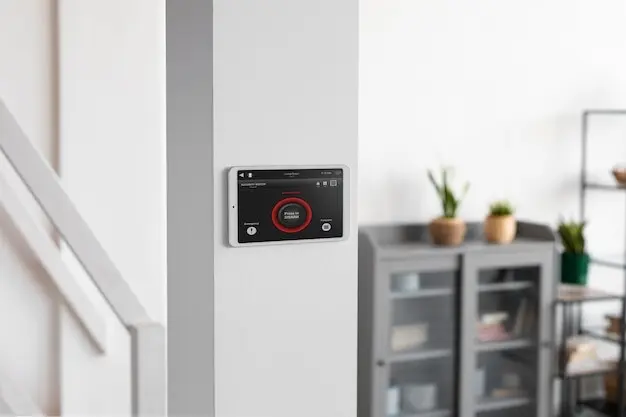
Thoughtful automations make security feel calm, not paranoid. Use contact sensors, presence, and soft notifications to surface meaningful events without over-alerting. Cameras should respect privacy with zones and local processing when feasible. Build clear arming modes, test sirens at safe volumes, and keep an accessible panic action. Reliability matters most here, so simplify flows and document why each rule exists.
Evening Wind-Down and Entertainment
As daylight softens, let your home guide a calmer rhythm. Scene-based lighting, reduced blue tones, and predictable prompts for dishwashers or tidying help evenings run smoothly. Media automations tame remotes, balance volumes, and set perfect ambience. Pair gentle reminders with easy dismiss actions. Your workflows should feel like hospitality: considerate, adaptable, and ready to step back when people want spontaneity.
Accessibility and Caregiving
No-code shines when simplifying daily life for different abilities and caregiving contexts. Replace complex apps with predictable voice phrases, tactile buttons, and clear feedback. Build assurance workflows: quiet acknowledgments when medicine boxes open, friendly reminders that escalate gently, and easy cancellation. Respect autonomy with transparent controls and logs. Ask readers to suggest inclusive patterns that reduce cognitive load without sacrificing dignity.
Build for Reliability and Maintainability
Great automations feel invisible because they rarely break. Structure your no-code library with sensible names, comments, and tags so you can troubleshoot months later. Track dependencies like accounts and plugs. Keep a simple changelog. Favor local control and graceful degradation. Invite readers to subscribe for printable checklists, share war stories in the comments, and request deep dives on advanced scheduling tricks.
Clear Names, Notes, and Tags
Adopt a naming convention that explains purpose, trigger, and room at a glance, like “Bedroom | Sunrise | Weekdays.” Write a one-line description and attach tags for mode or season. Group related rules into folders. When something fails, your future self will thank you, and collaborators will contribute confidently without guessing which light or sensor a rule truly touches.
Backups, Versions, and Rollback
Export routines regularly, snapshot configurations, and keep a plain-text changelog of edits. Before a big experiment, duplicate the flow and test the copy. Store API keys securely and rotate them on a schedule. If an update breaks behavior, revert quickly. Build a small staging environment—a spare plug and bulb—to trial wild ideas without risking nighttime disruptions or partner frustration.
Monitor, Measure, Improve
Use lightweight dashboards that track execution counts, average latency, and failure reasons. Send weekly summaries instead of constant pings, highlighting outliers worth attention. Pair data with human feedback from your household. Retire rules nobody appreciates, and double down on those that spark delight. Share your favorite metrics in the comments, and we will feature reader dashboards in future guides.
All Rights Reserved.